PDF Cover Cards
Your base of book and paper notes looks like a shelf, with page 1 of each PDF as the cover.
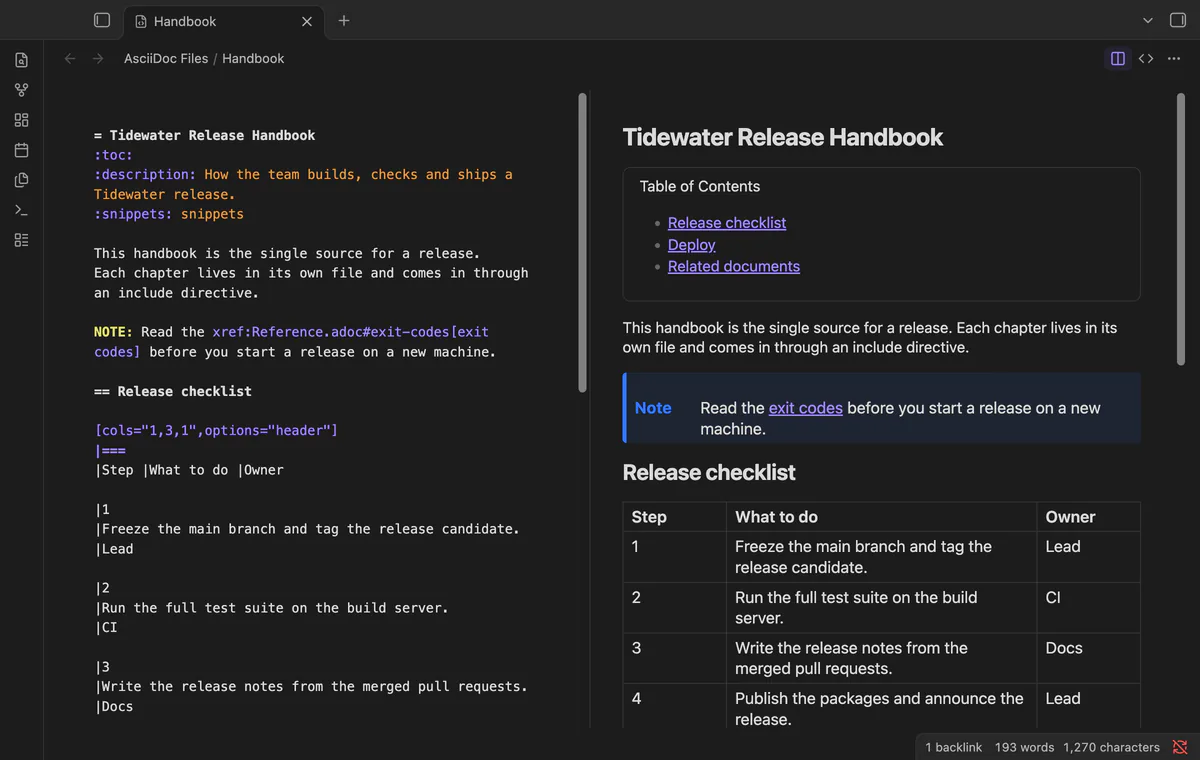
Open .adoc files in Obsidian with a highlighted source editor, a rendered preview, or both side by side.
MIT · no telemetry · core features free
Directory facts fetched from community.obsidian.md/users/theluckystrike.
You keep technical documentation in AsciiDoc and want to read and edit it next to your Markdown notes.
AsciiDoc Files opens the .adoc and .asciidoc files in your vault in their own tab. You get a source editor with AsciiDoc highlighting, a rendered preview, or both side by side.
The preview uses Asciidoctor.js, the official JavaScript port of Asciidoctor. So headings, tables, admonitions, lists, footnotes and source blocks look the way your other AsciiDoc tools render them.
 Play demo

Click an .adoc file in the file explorer and it opens in the preview. Section titles, tables, admonitions, quotes and the table of contents use the colors and fonts of your theme. Asciidoctor warnings show in a small list under the preview, not in the developer console.
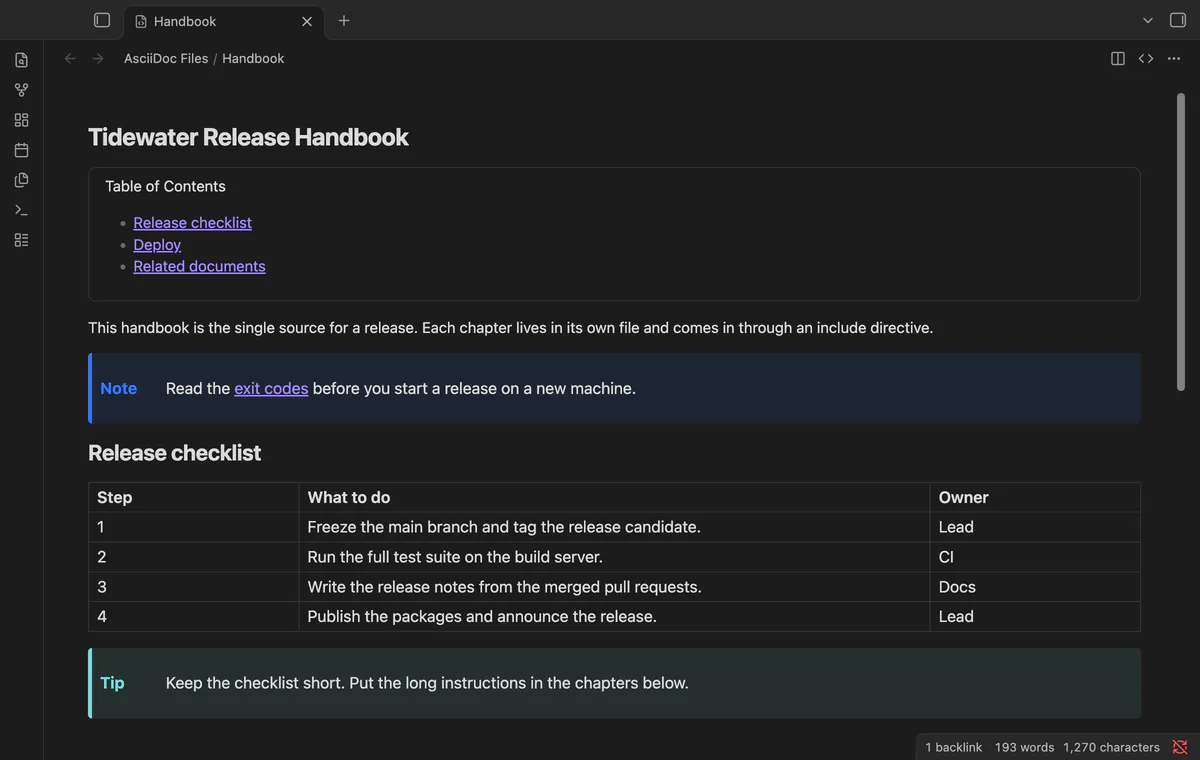
The source editor is CodeMirror 6, the same editor the app uses for notes. It highlights titles, attribute entries, block delimiters, comments, lists, macros and inline marks. The file saves as you type, and in side by side mode the preview follows after a short delay.
A cross reference to an anchor scrolls the preview to that anchor. An xref to another file opens that file and scrolls to the section. Web links open in your browser, and relative image paths show the images from the vault.
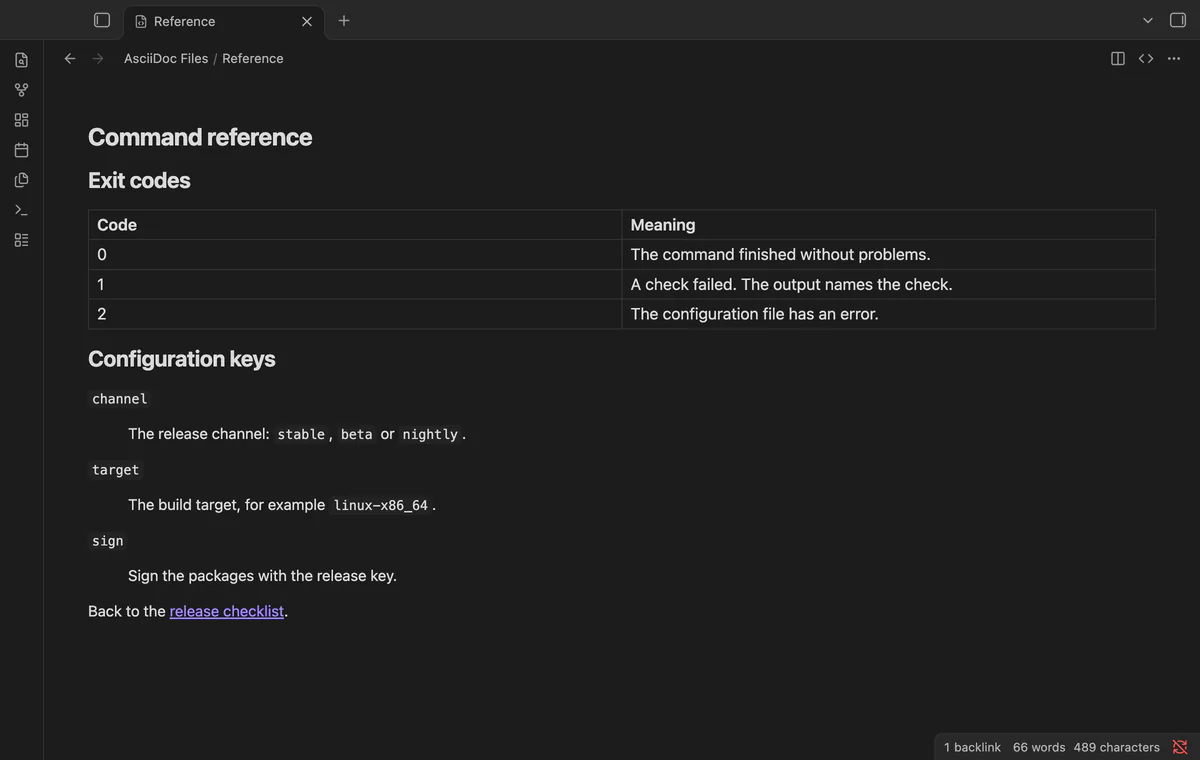
Asciidoctor runs in safe mode, so a document can't read files or URLs. The HTML then goes through the sanitizer of the app, which removes scripts and event handlers.
Without Pro, each include directive shows a short note instead of the included file.
Pro costs $5 a month or $15 one time through GitHub Sponsors. One sponsorship turns on Pro in all 13 plugins.
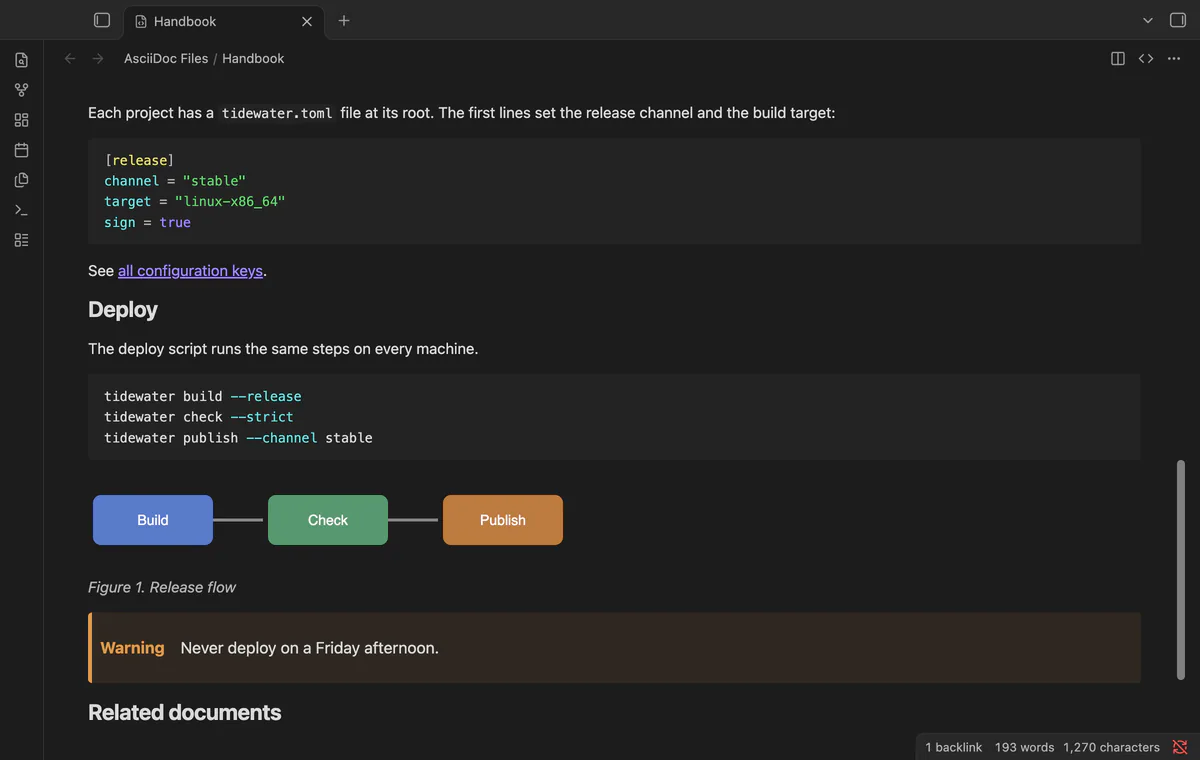
An include directive shows the included file in place, with the path relative to the file that holds the directive. The options leveloffset, lines, tag, tags, indent and opts=optional work. A missing file, a file that includes itself and a chain that is too deep each show a clear note.
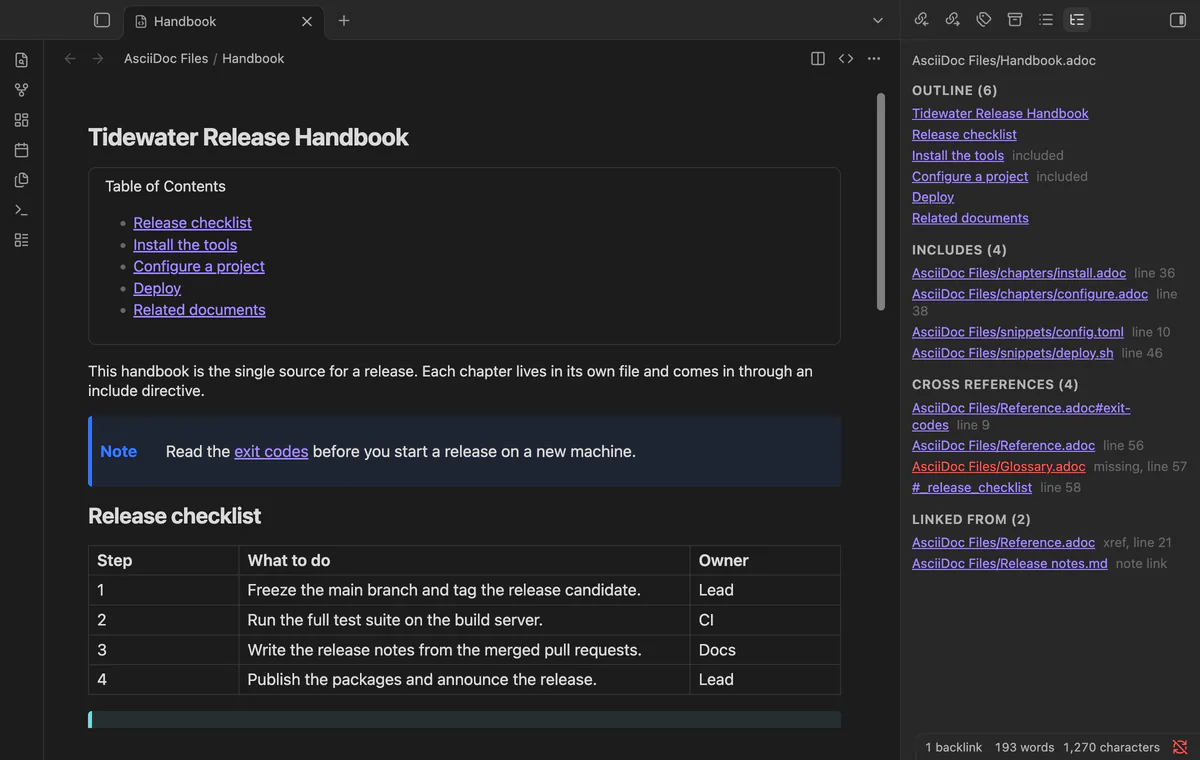
A side panel lists the section outline, the includes with their status, and every cross reference, with missing targets in red. It also lists the files that point to this one, from other AsciiDoc files and from Markdown notes. Click an entry to go there.
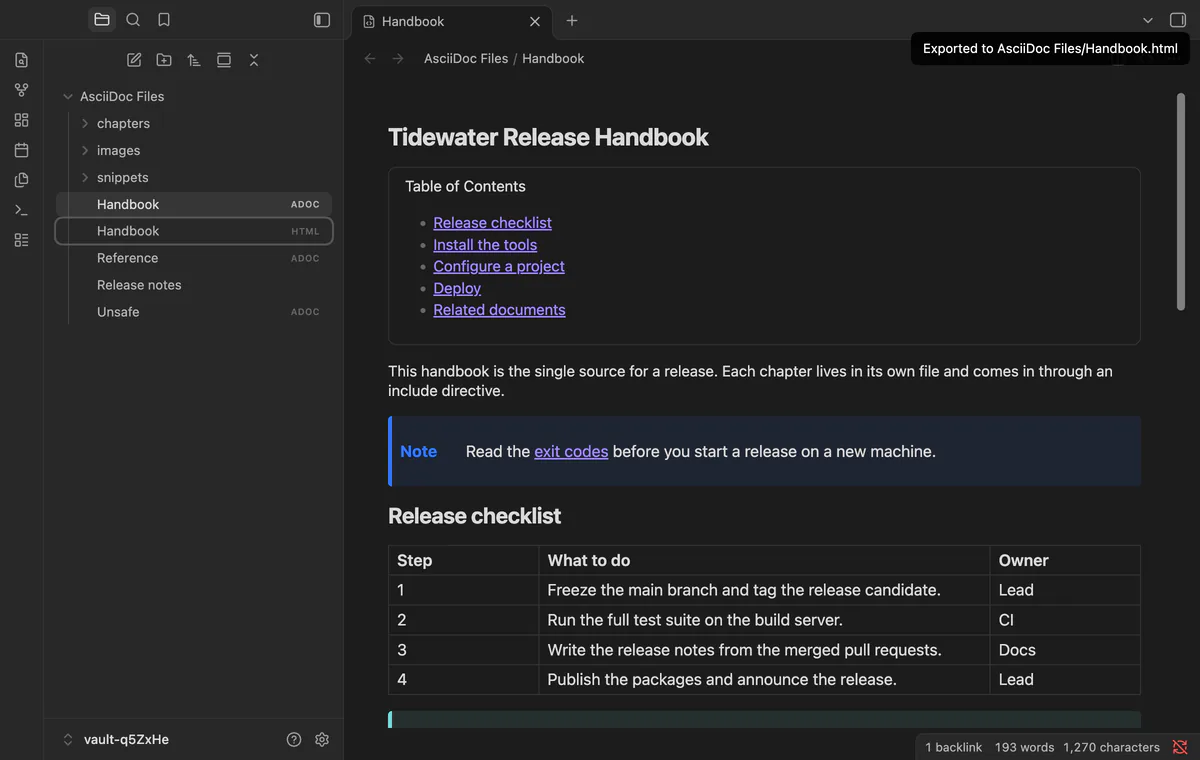
The export command writes an HTML file next to the source, with the includes resolved and the Asciidoctor default stylesheet inside. The page has no script and loads no fonts from the web. A second command puts the HTML body on the clipboard for a CMS or an email.
needs
steps
Open any .adoc or .asciidoc file, or run the command "Create a new .adoc file".
Switch between preview, source and side by side with the buttons in the tab header.
A forum request for AsciiDoc support in Obsidian (topic 716) has 86 votes.
Only in part, and that's a limit of the app. Core search, the backlinks pane, the outgoing links pane and the graph read Markdown files only. The files do show in the file explorer and the quick switcher, and a Markdown link to an .adoc file works.
It uses no desktop-only API, so it also loads on mobile. It was tested on desktop, and mobile isn't tested yet.
No. Antora ids need the Antora site structure. URL includes would need a network request for each render, so they show a note.
Asciidoctor.js is about 0.8 MB minified. It loads the first time you open an AsciiDoc file, not when the app starts.
AsciiDoc Files makes no network requests until you select "Sign in with GitHub" in the settings. After sign in, it asks GitHub about your sponsorship at most once every 7 days, or when you select Refresh. It sends no note content or file names, and it never fetches an include with a URL target.
AsciiDoc Files 1.0.1, MIT license
MIT · no telemetry · core features free
Your base of book and paper notes looks like a shelf, with page 1 of each PDF as the cover.
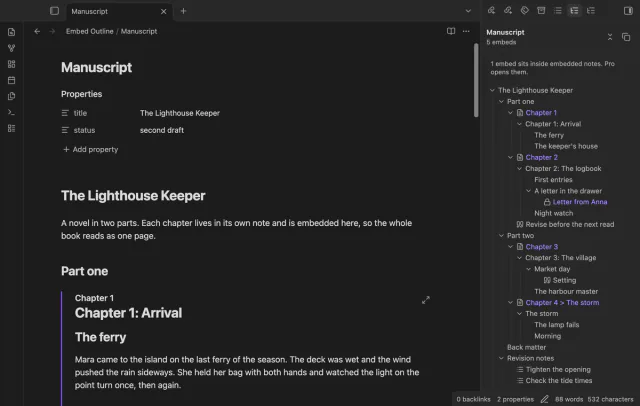
One outline for a note built from embeds, with each chapter's headings under its embed.
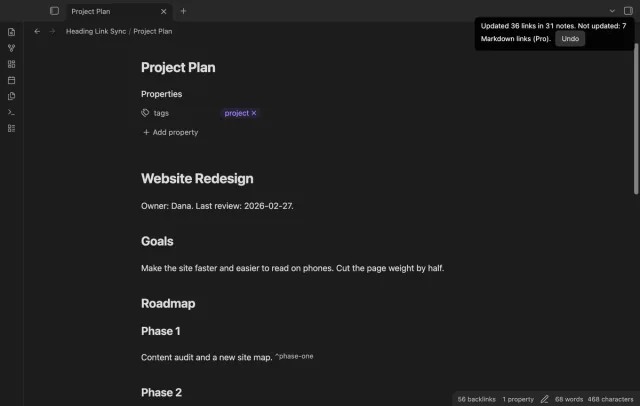
Retype a heading and every link to it in your other notes follows, with no rename dialog.